

Every community theater I've ever walked into has the same person. You know the one. They've been there for fifteen or twenty or forty years, and they can stand in the middle of a dusty basement and say, "Oh yeah, the Victorian tea service is in the second cupboard behind the Christmas tree, in the bin marked Easter." And they're right. They're always right.
That person is a treasure. That person is also your single biggest organizational risk.
Because the day they hurt their knee, or move to be closer to grandkids, or simply decide that thirty years of unpaid volunteer work is enough, every bit of that knowledge walks out the door with them. Suddenly your props master is standing in front of a wall of bins one week before tech, looking for a 1940s rotary phone, and nobody knows where to start.
This guide is about getting that knowledge out of one person's head and into a system. Not a fancy system. Not necessarily a software system. Just a real, repeatable, written-down system that the next generation of volunteers can pick up and use.
I'm writing this from experience. Chilliwack Players Guild has been collecting props for over ninety years. We were lucky when I started. We had close to 2,000 items in an aging Microsoft Access database that lived on one computer that could have died any day, but we had a system. Our costume department had nothing at all, we weren't as lucky on that front. No spreadsheet, no list, nothing. Just racks and racks of beautiful pieces and the institutional memory of whoever happened to be in the room.
So. Here's how to do it. Through this I'm going to refer to something I'll call the "Lazy Law": what's the least amount of effort I can put in to solve the problem.
Start with the problem, not the system
Before you buy anything, install anything, or print a single label, sit down and write out what's actually broken. What problem are we looking to solve?
For most theaters it's some combination of these:
- Volunteers can't find things, so they buy or build what already exists in the basement.
- Props go out for productions and never come back, and nobody notices for two years.
- The director asks "do we have a chaise lounge?" and three different people give three different answers.
- A long-time volunteer leaves, and the location of half the collection becomes a mystery.
- You can't tell a visiting director what you have, so they assume you have nothing.
Once you know which of these hurts the most, you can design around it. A theater that mostly loses things needs strong check-out tracking. A theater drowning in stuff needs strong categories and locations. A theater with one knowledge-keeper needs photos and notes that capture the why, not just the what.
Don't skip this step. The people who build a system without knowing what they're solving end up with a beautiful spreadsheet that nobody uses.
Step 1: Build your category scheme
Categories are how humans actually find things. "Show me all the lamps." "Do we have any swords?" "What's in our kitchen stuff?" If your categories match how people ask questions, your catalog will work. If they don't, no amount of clever software will save you.
A starting category list that works for most theaters:
- Furniture (sofas, chairs, tables, desks, beds)
- Artwork and decor (paintings, mirrors, vases, statues, clocks)
- Dishware and kitchen items
- Books and documents (real books, fake books, letters, scrolls, newspapers)
- Weapons (stage swords, prop guns, knives, anything that needs special handling)
- Food (real or fake, with notes about whether it's edible or has been used in a previous run)
- Clothing accessories (hats, gloves, canes, parasols, bags, jewelry)
- Seasonal and holiday (Christmas, Halloween, Easter, patriotic)
- Children's items (toys, dolls, school supplies)
- Lighting practicals (lamps, lanterns, candles real and battery)
- Office and technology (typewriters, telephones, computers from various decades)
You'll add a few of your own. That's fine. The rule is keep it under about fifteen top-level categories, because once you go past that, nobody can remember the list and they start filing things in the wrong place.
Subcategories are great, but resist the urge to go deep on day one. "Furniture > Chairs" is plenty. You don't need "Furniture > Chairs > Wingback > Upholstered > Floral." If you add subcategories later, the world will not end.
Lazy Law: Don't spend time building subcategories you don't need yet. Start broad.
Step 2: Set up your location system
This is where most theaters either give up or overcomplicate things. Here's the trick: the hierarchy you write down has to match the hierarchy in your actual building.
A general framework looks like this:
Building → Room → Section or aisle → Shelf → Bin
That's the maximum. Most small theaters do not need all five levels. If your entire props collection lives in one storage room, you don't have a building level. If your storage room has no aisles, skip that. The rule is use the minimum number of levels that lets a brand new volunteer find a specific bin without help.
For us at CPG, the practical hierarchy for props ended up being Room, then Bin. Two levels. Our bins are a combination of boxes and actual bins. We've labeled every bin and box with a number. So a tea cup might live at "Props Room, Box 112." Anyone with the catalog can walk in, follow the signs, and put their hand on it in under a minute.
Two pieces of advice I wish someone had given me earlier:
- Label the physical shelves and bins to match the system. A clipboard list of locations is useless if the actual shelves or bins are unmarked.
- Big items don't need bins. A grandfather clock just needs a location ("Props Storage B, North wall"). Don't force furniture into a bin-based system.
Lazy Law: Use the fewest location levels needed for a volunteer to find a specific item. No more.
Step 3: Capture the right fields for each item
This is the step where committees go to die. Someone always wants a field for everything: dimensions, weight, original purchase date, donor name, last show used in, country of origin, fabric content. By the time the form has thirty fields, no volunteer wants to fill it out, and the project stalls.
Here is a short list of fields that actually earn their keep:
- A short name (what a normal person would call it)
- Category and subcategory
- Location (using your hierarchy)
- Condition (more on this in a moment)
- One photo
- A free-text notes field for anything weird or important
- A unique ID number, automatically assigned
That's it. Seven fields. You can add more later if you find yourself reaching for them, but if you start there, your volunteers will actually finish the job.
A note on the name: be generous. Call the item what people call it. "Grandma's blue teapot" is a better name than "Ceramic teapot, mid-century, blue glaze, 750ml capacity." If your catalog can be searched by free text (and it should be), the casual name is the one that wins.
Lazy Law: Only capture information you'll actually search for. Skip the rest.
Step 4: Add photos
This is the single biggest quality-of-life upgrade a theater can give itself. A catalog without photos is just a list. A catalog with one photo per item is suddenly something a director can browse on their phone at home.
You don't need a studio. You don't need a real camera. Phone cameras are completely fine and have been fine for at least a decade. The standard I push for:
- One primary identifying shot per item: the photo that shows what the item actually is, straight on, clearly lit, nothing cropped or obscured.
- Neutral background (a grey or beige wall, a roll of brown paper, even a clean tablecloth on a folding table).
- Natural light if possible, near a window, no harsh shadows.
- Item laid flat or hung up so the silhouette is clear.
- Fill the frame. Don't photograph a teacup from ten feet away.
If you do nothing else from this guide, do this. The first time a director says "I want something like this" and you can hand them a phone with thumbnails of three hundred similar items, you'll understand why.
Lazy Law: One clear photo tells volunteers what a description never can. Take the photo.
Step 5: Track condition and status
Condition is the field everyone underestimates. It matters at production time, not at cataloging time, which is why most people skip it.
Use four or five honest grades and write down what each one means:
- Excellent: Looks new or near new. Safe for any production, including tight close-ups where the camera doesn't lie.
- Good: Minor wear, but reads well from the audience. The default state of most theater props.
- Fair: Visible damage or wear. Fine as set dressing or a background piece, but not for a close-up or a play that demands a pristine look.
- Poor: Damaged, broken, or unreliable. Keep it for now because it might be useful for parts or for a rehearsal stand-in, but don't put it on stage.
- Retired: Gone, donated, or destroyed. Keep the record so people stop asking "didn't we used to have one of those?"
Status is a separate idea from condition. Status answers "where is this thing right now?" Available, checked out to a show, out for repair, on loan to another company. Even a very simple in/out status saves shows.
Lazy Law: Know what condition your items are in before you need them on stage.
Step 6: Label your physical items
The label is the bridge between the physical world and the catalog. Without it, the system is just a fantasy on a screen.
You have three reasonable options:
- Numbered paper labels in a binder. Cheap, fast, no technology required. Write a number on the item with a tag or a sticker, write the same number in the catalog. Works fine for small collections.
- QR code stickers. Print them, stick them on, scan with a phone. The phone opens the record directly. This is what I'd recommend for most theaters today. Stickers are cheap, phones are everywhere, and it removes the "what's this number again?" problem entirely.
- Barcode labels. Same idea as QR, slightly older technology. Fine if you already have a barcode scanner kicking around. Most people don't, but they're inexpensive and easy to find.
Whatever you choose, be consistent. Half a collection labeled with one system and half with another is worse than no system at all.
Lazy Law: QR codes are easier than they look. Ask your youngest volunteer to set them up.
Make it a team effort, not one person's burden
The single biggest reason cataloging projects fail is that one well-meaning volunteer tries to do the whole thing alone over six months. They burn out around month two and the project quietly dies.
Don't do that. Do a sprint instead.
Pick a Saturday. Get six or eight people. Buy coffee and pastries, put on a playlist, and turn it into a work bee. One person photographs, one person measures and writes notes, one person enters data, two or three people pull items off shelves and put them back. In four hours of focused group work, you can catalog several hundred items.
Repeat next month. And the month after. Cataloging done in cheerful four-hour bursts with friends is sustainable. Cataloging done alone in a basement on Tuesday nights is not.
Lazy Law: My job is easier when we do it together.
Keeping the catalog alive
A catalog is not a one-time project. It's a living thing, and like any living thing, it needs feeding.
Three habits keep a catalog healthy:
- Every show checks props out and back in. Even a paper signout sheet works. The point is that things don't silently leave and never return.
- Add new acquisitions immediately. The moment a donation walks in the door, before it goes on the shelf, it gets a record and a photo. If you let things pile up to catalog later, later never comes.
- Annual audit. Once a year, somebody walks the storage area with the catalog open and confirms things are where they say they are. Yes, it's tedious. Yes, it takes a weekend. It will save you ten times that in the year that follows.
And document the system itself. Write down your category list, your location hierarchy, your condition grades, and pin it next to the storage room door. The next props master should be able to walk in cold and pick up where you left off. That, in the end, is the whole point.
Build the system so that when That Person finally retires, the institution keeps its memory.
Try Odeumate free at odeumate.com. 500 items, free forever. No credit card, no time limit.
Want help migrating an existing catalog? Get in touch and we'll figure it out together.
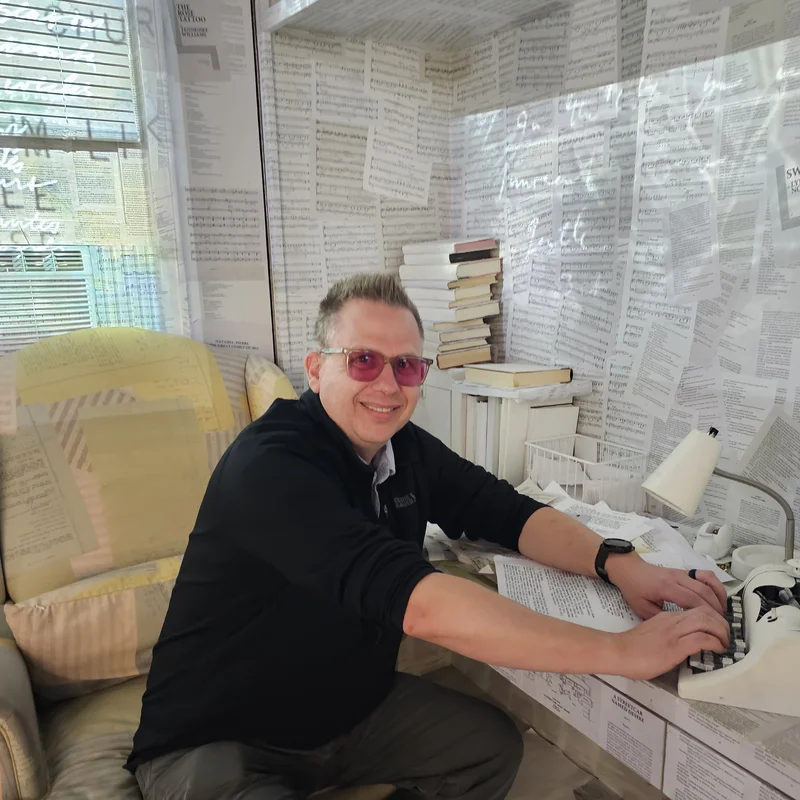
Photo: Museum of Broadway, New York
Glenn Howard is a co-founder of Odeumate and serves on the board of Chilliwack Players Guild. He has spent 30 years in IT and nearly as long on stage, and he built Odeumate because nothing else existed.