

A Service History on Every Item
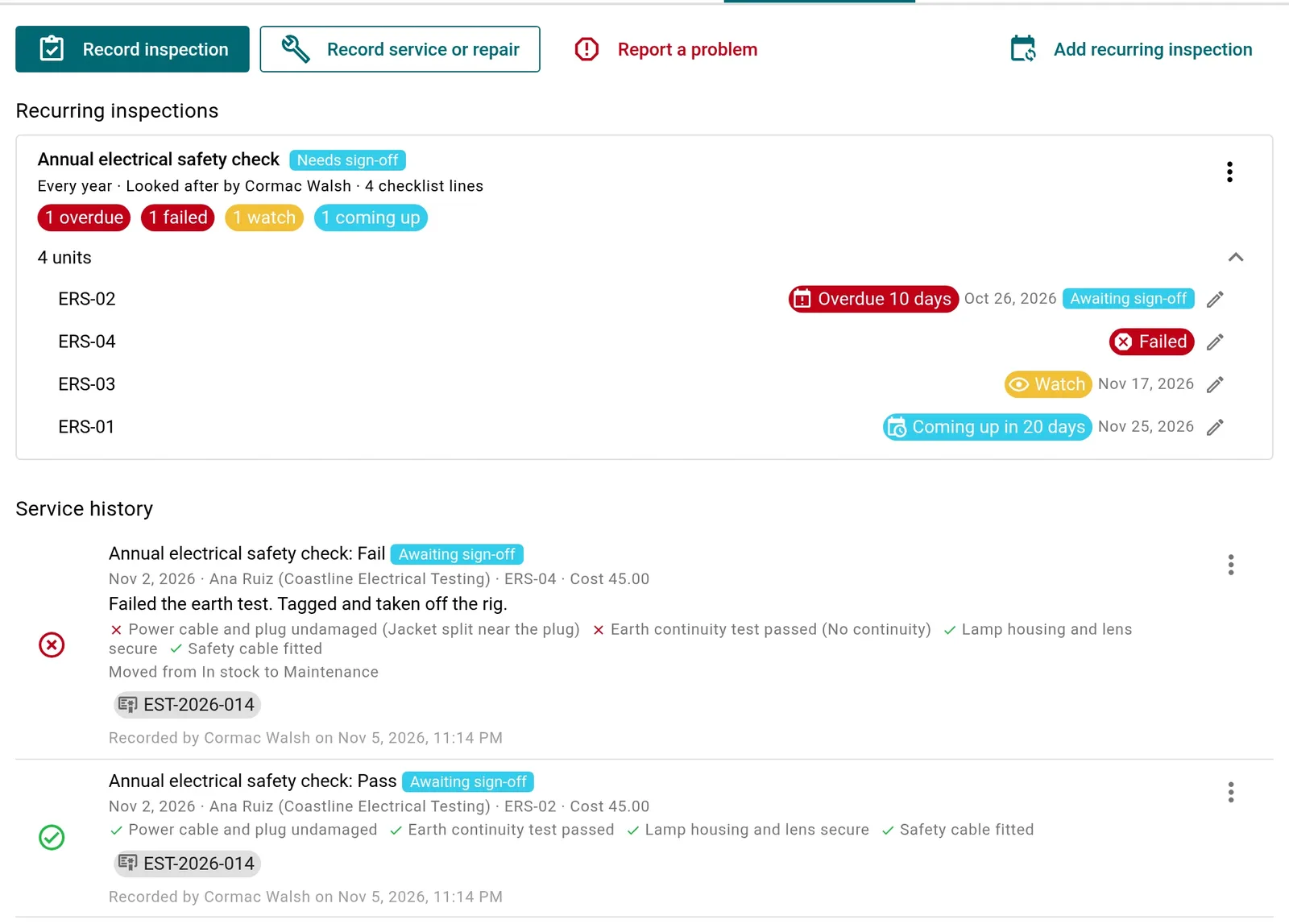
Set a recurring inspection or service on any asset, prop or costume piece: every year, every six months, or before each session of a production. Add your own checklist, choose who looks after it, and every unit of a fixture gets its own due date.
- Your own checklist on every inspection
- Inspections, services and repairs in one dated history
- Notes, photos and files on each entry, with who did the work
- Set up 40 ladders at once, with the first due dates spread out
See What's Due at a Glance
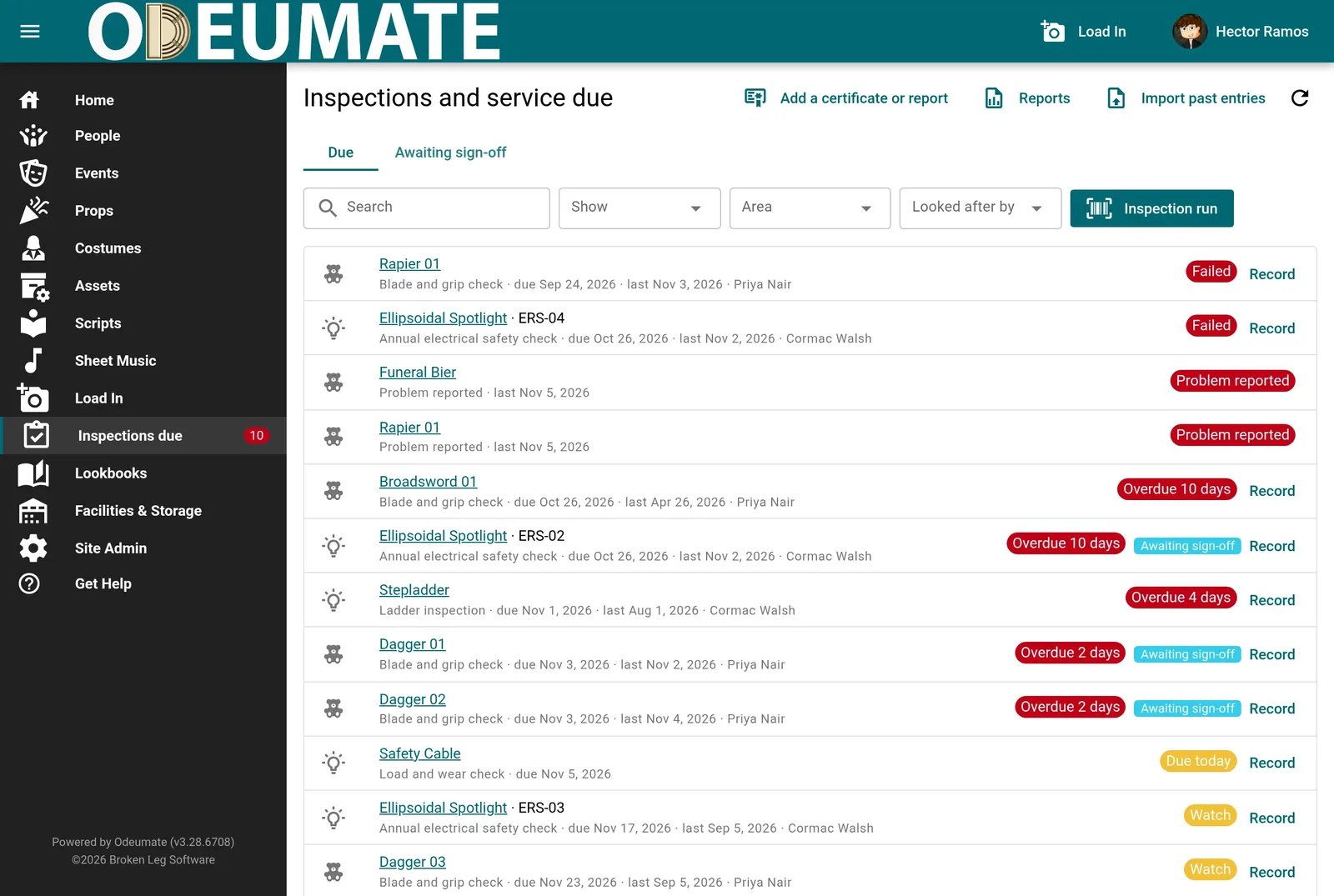
One list shows everything overdue, due today, coming up, failed or reported as a problem, across every area you look after. A count in the menu keeps it in view, and a morning email tells the person responsible what needs doing.
- Overdue, due today, coming up, failed and watched items
- Filter by who looks after it
- Email reminders before things fall due
- Record a check straight from the list
Check a Whole Rack in One Pass
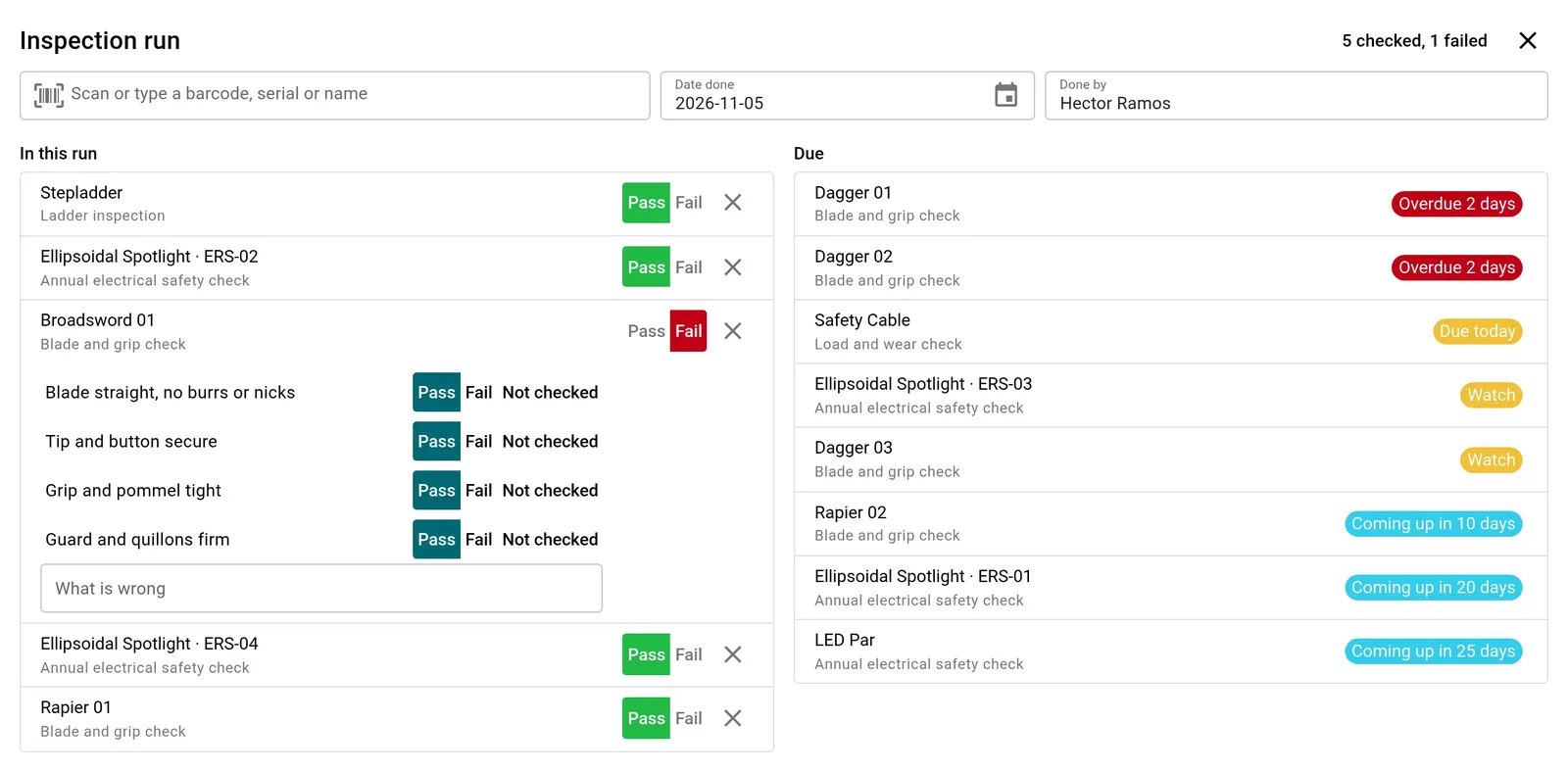
Start an inspection run, scan each item's barcode or tap it from the list, and mark only the ones that fail. Everything else is saved as a pass, in one save. When your rigging or electrical contractor sends one report for the lot, attach it once to every entry it covers.
- Scan a barcode or serial number, or type a name
- Mark a checklist line as failed and say what's wrong
- Record a contractor's visit with their name and company
- Optional manager sign-off before a check counts
Failed Gear Stays Off the Stage
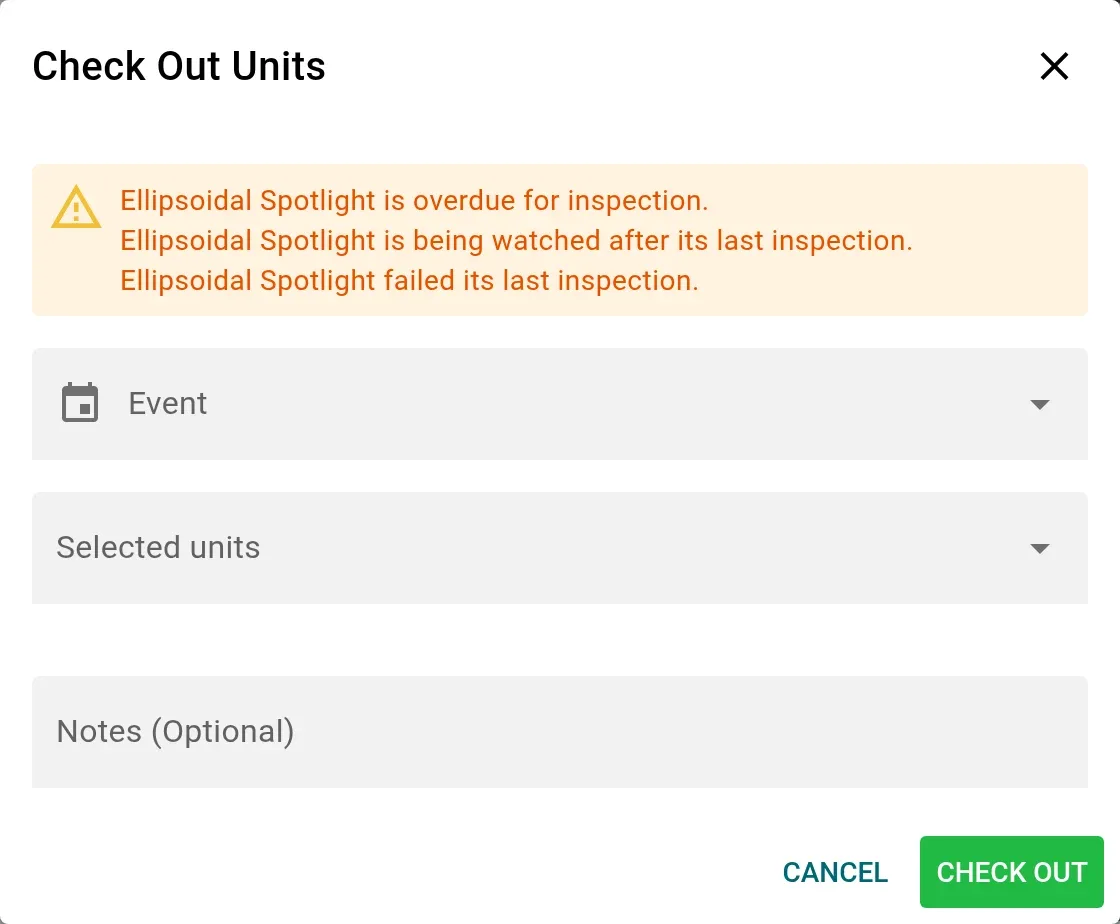
A failed inspection or a reported problem takes the item out of service, so nobody books it or checks it out by mistake. Anyone booking it sees why. A failed item comes back when it passes again, and a reported problem clears when a repair is recorded or the item passes.
- Report a problem when an item comes back from a show
- Warnings on check-out and on the event's item list
- An email the moment a booked item fails
- Every change of status recorded in the item's history
Ready When Someone Asks
A dated record of every inspection, who did it and what they found, ready to print or send to your board, your landlord or your insurer.
Status and Log Reports
The status of every recurring inspection as of any date, or every entry between two dates, as a PDF or a spreadsheet.
Bring Your Old Records
Import years of past inspections from a spreadsheet, matched to your items by barcode or serial number, with a preview before anything is saved.
A History You Can Trust
Entries are never edited after the fact. A mistake is cancelled with a reason and recorded again, so the history shows what really happened.